
Cards
A flashcard is two things that change at different rates. The shape — which fields it has, and how they are laid out on the side you are shown — is settled once and used a thousand times. The filling is what you typed, and there is a great deal of it. numen keeps them in two kinds of note: a stencil is the shape, a deck is the filling.
Both are markdown in your own folder, with type: in the frontmatter saying which they are. Nothing is hidden in a database you cannot open.
A stencil
Section titled “A stencil”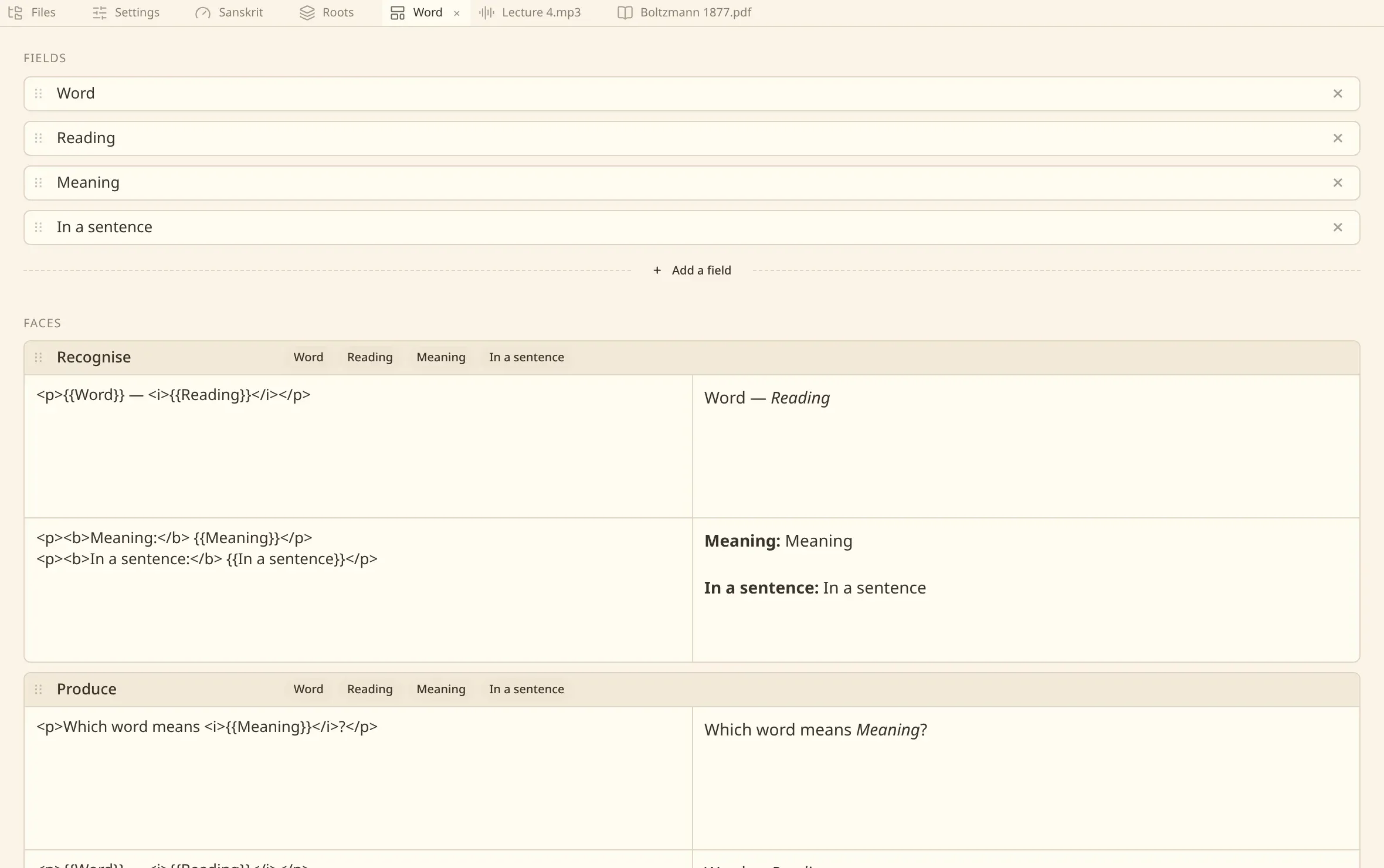
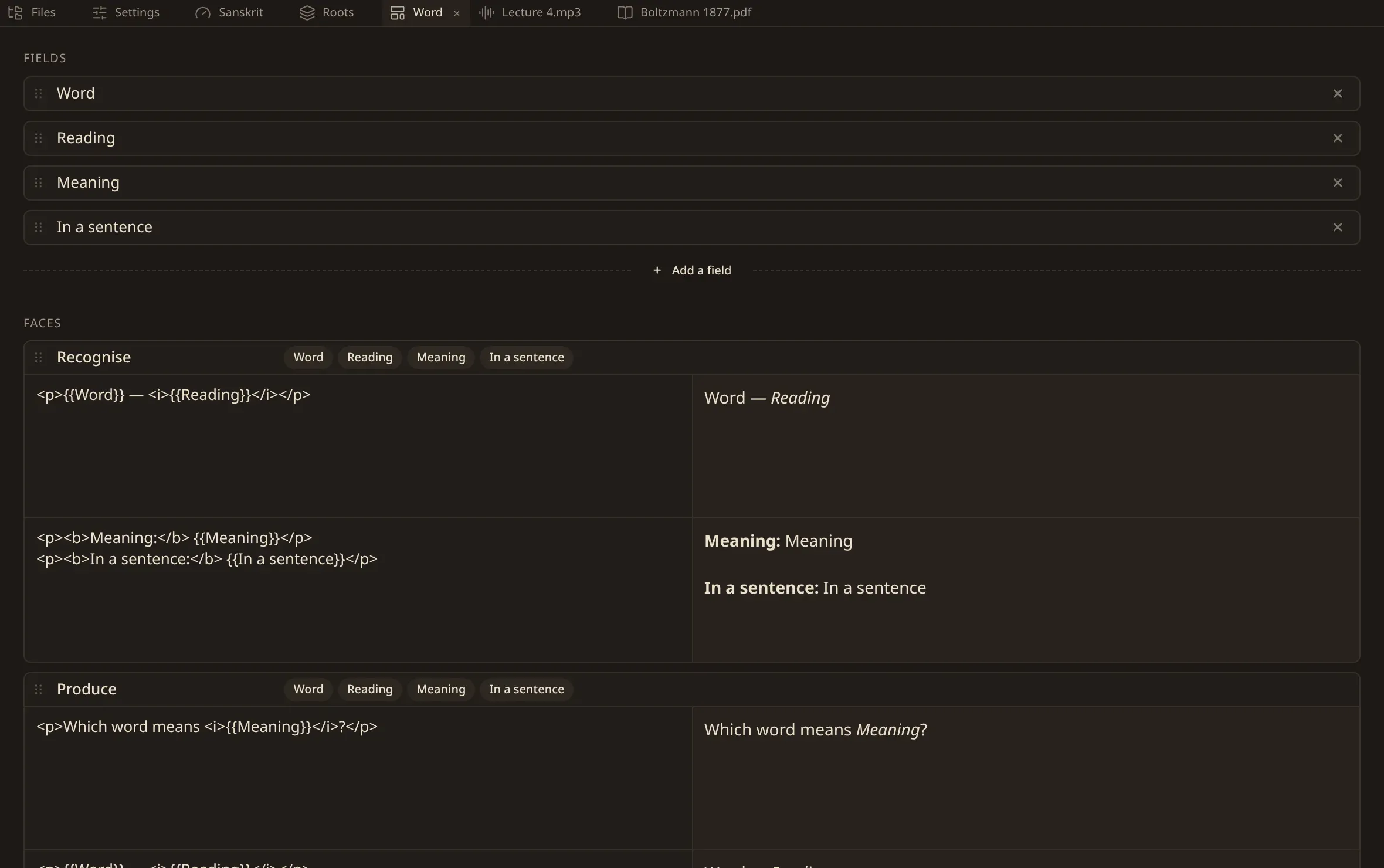
A stencil names its fields in the frontmatter, in the order you are asked for them, and its faces in the body. A face is a front and a back with {{Field}} standing where a value goes.
---type: stencilfields:  - Word  - Reading  - Meaning---
## Recognise
### Front
<p>{{Word}} — <i>{{Reading}}</i></p>
### Back
<p><b>Meaning:</b> {{Meaning}}</p>
One stencil can carry several faces, and each face becomes a card of its own to answer: recognise it, produce it, read it aloud. A face naming a field the stencil does not declare is reported against the stencil, and the rest of it is read as usual.
A value is HTML, and so is the face it is laid into. A card is the one thing in a vault that is not markdown: what you write there is drawn as the markup it is, so rich text on a card is written in tags. The file around it is still markdown, and the headings that cut it into cards and fields are markdown’s.
A deck
Section titled “A deck”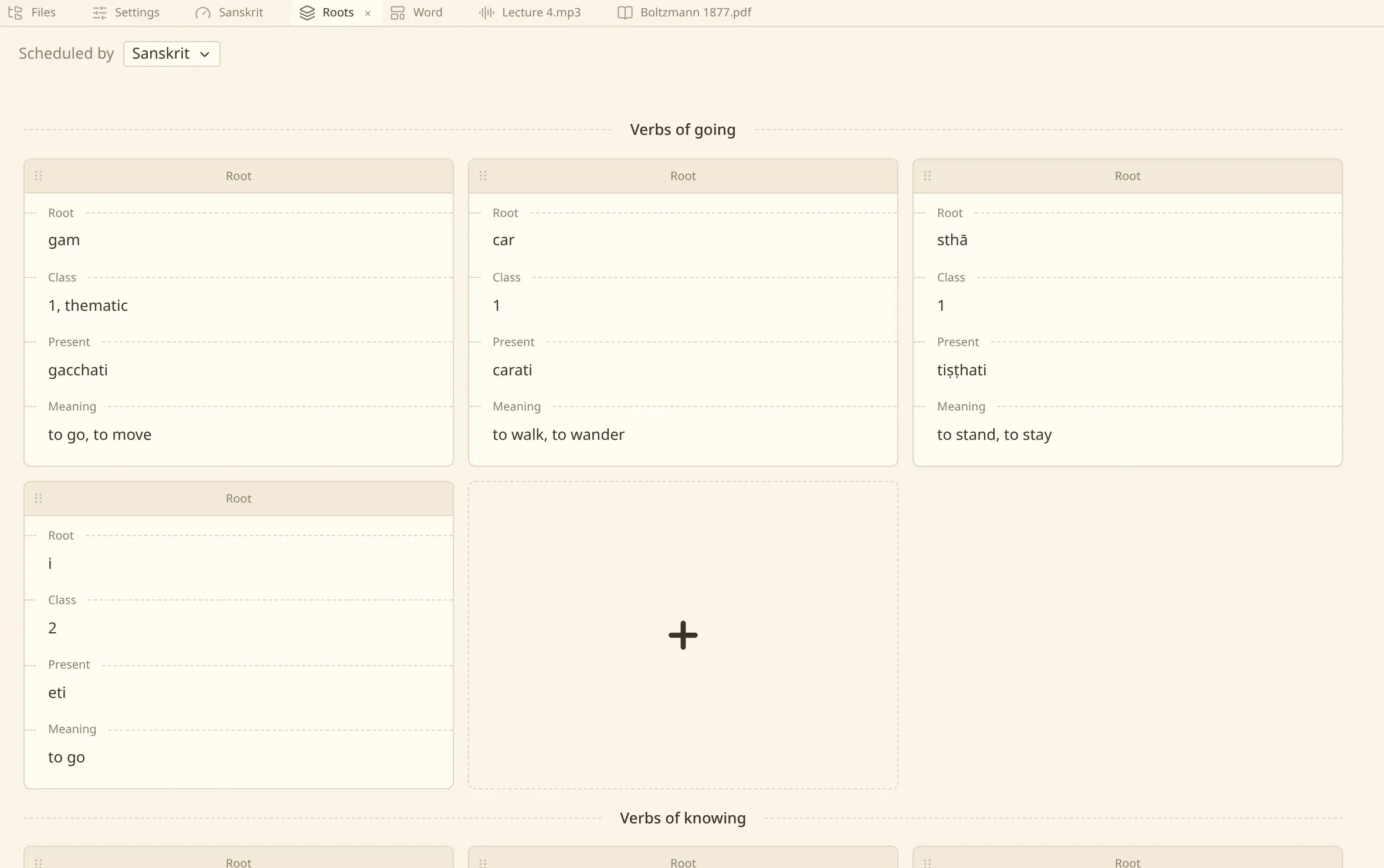
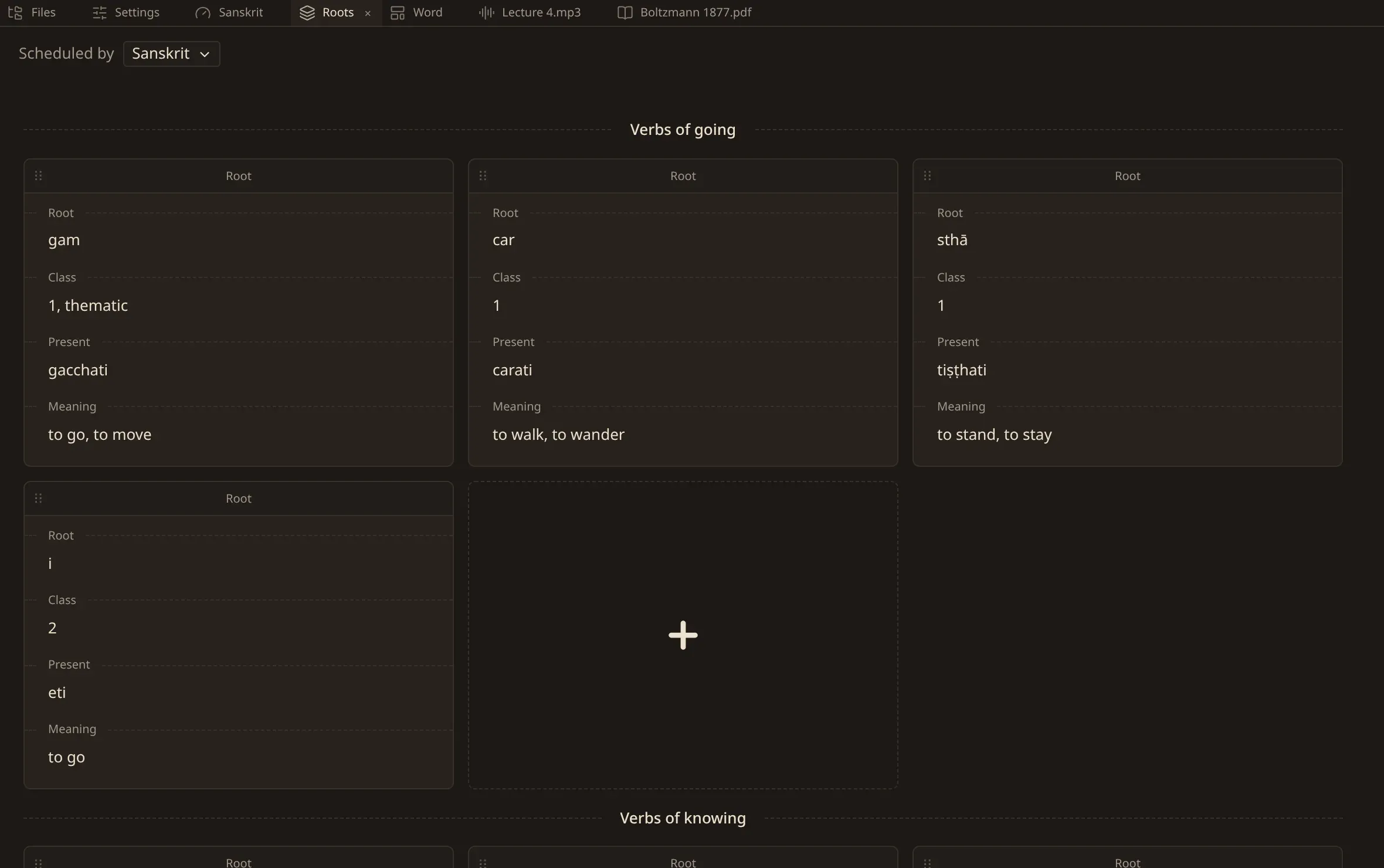
A deck is a note of type: deck. A first-level heading opens a section; a second-level heading is a card; a third-level heading is one of its fields.
---type: deck---
# Verbs of going
## gam ^k7m2xq9fzp
[[Root]]
### Root
gam
### Meaning
to go, to move
The wikilink under a card names the stencil that cuts it. A card’s heading is its first field, read back and cut to one line: throw it away and numen writes it again from the field.
The ^ and ten characters at the end of the heading are the card’s mark, which is what the card is for as long as it exists. It is written when the card is made, and a card you typed in by hand is given one the next time numen writes the file. The mark does not know which deck it is in: move a card to another deck, or to another vault, and it is the same card with the same history.
A deck need not have sections, and cards may stand before the first one. Text between a section’s heading and its first card is yours — nothing lays it out and nothing reads it, and a write puts it back where it was.
Making them
Section titled “Making them”New deck and New stencil are on any row of the files, and in the commands. Both make the file in the folder you asked on.
In a deck, the plus at the end of a run makes a card there, cut by the stencil you pick. Drag a card to move it, between sections or within one; drag a field in a stencil to change the order you are asked for them. A section is made at the end of the deck, and taking one away takes away its heading and nothing else — its cards stay where they stand.
The agent can do all of it too: make a deck or a stencil, add cards to a deck from a note you point it at, edit one, take one away, open a section, and rename a field across a stencil and everything cut by it. What it writes is the same markdown you would have typed, in your own folder.
What is reported
Section titled “What is reported”A deck and a stencil are read strictly, and what numen would not guess at is drawn on the card or the field it stands against rather than at the top of the file:
| A card under no stencil | the wikilink is missing, or points at a note that is not a stencil. |
| A card naming a field the stencil does not have | the value is kept and the card says so. |
| A field written twice under one card | numen will not choose which is meant. |
| Two cards carrying one mark | a card copied by hand. Both are shown, each marked. |
Nothing you wrote is thrown away or rewritten to make a file valid. The file stays as you left it and the window says what it found.
Scheduling them
Section titled “Scheduling them”A deck names the preset that schedules it with a link of type: preset — the line at the top of the deck tab is where you pick one. A deck naming no preset is scheduled by the defaults.
A session over your cards is a window of its own.
Not searched by their text
Section titled “Not searched by their text”A deck and a stencil are not indexed as prose. A card’s heading reaches the index as a heading, and that is what a search answers with — the fields, the faces and the marks are the card’s own bookkeeping and stay out of your results.