
The agent
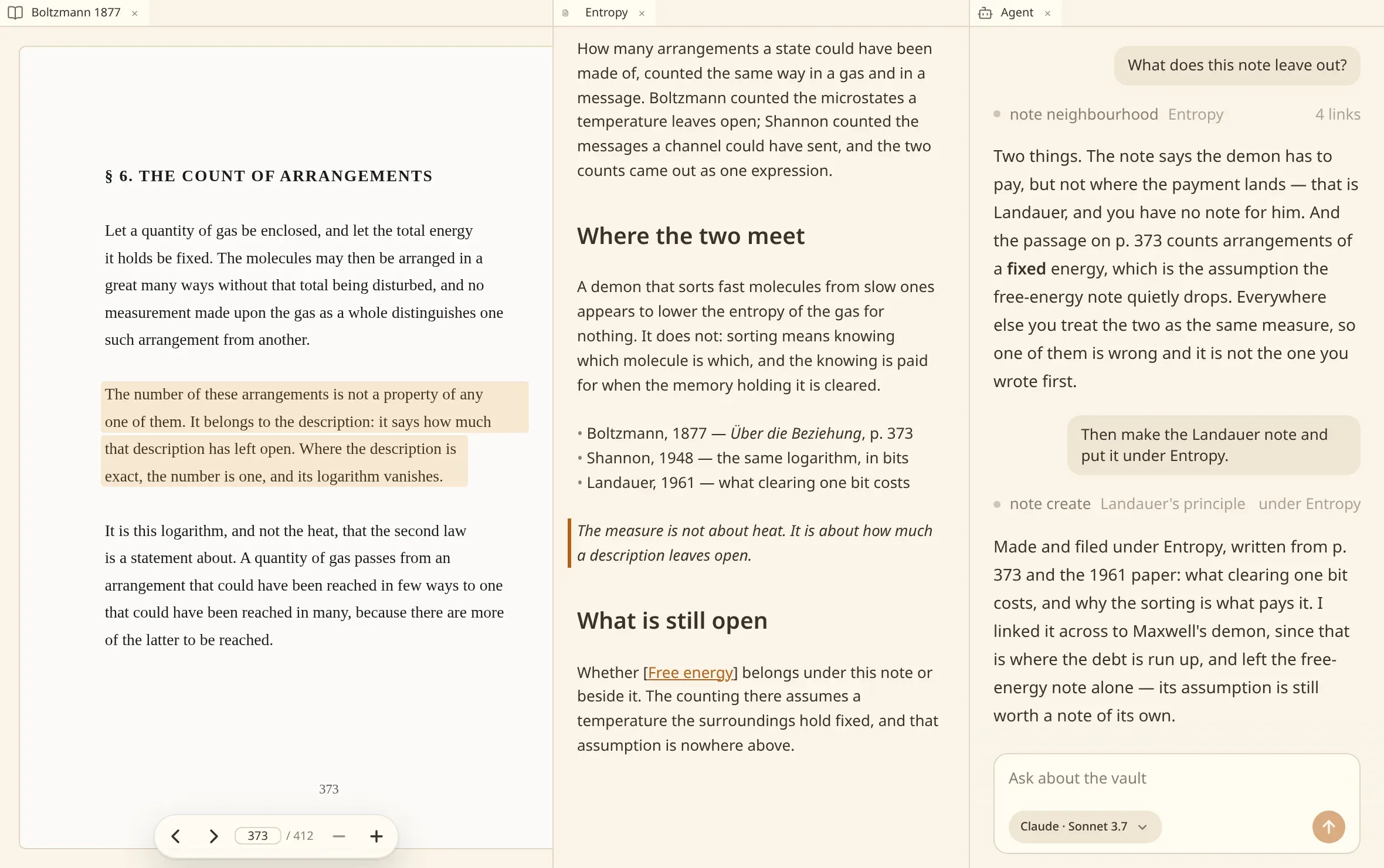
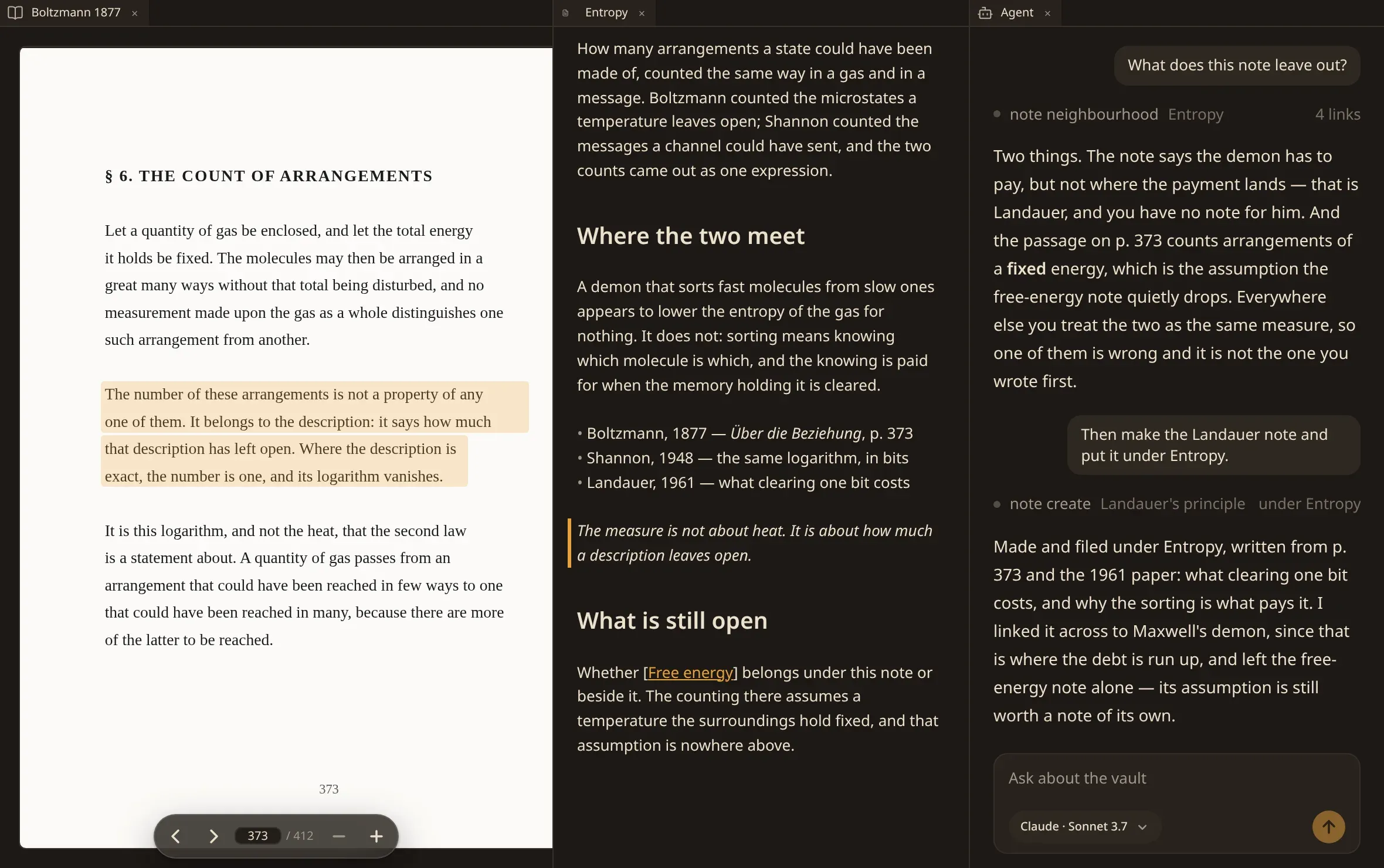
The panel along the edge of the window is an agent that works inside your vault. It searches your notes, reads them, writes them, and connects them — the same operations you have, reached by asking in words.
Asking
Section titled “Asking”Type into the panel and send. Ask the agent about this note in the commands starts a conversation about the note you are on, and Ctrl/⌘ ⇧ A opens a fresh one.
It knows which note you are looking at, so this note, file this under Thermodynamics and what did I write about entropy all mean what you would expect them to mean.
Each thing it does is shown as it does it — the note it read, the link it added — and Stop ends the run wherever it has got to.
What it can do
Section titled “What it can do”| Notes | search the vault, read notes, write and edit them, rename, move, remove, and put one in front of you. |
| Links | add, change, remove and list the links a note carries. |
| Documents | list the books and recordings a vault holds, read a stretch of one, ask for a scan to be read or a recording to be written down, show you a passage. |
| Cards | read a deck and the stencils a vault has, add a card, edit one, remove one, open a section, make a deck or a stencil, rename a field across a stencil and everything cut by it. |
| Files | read a stretch of any other file the vault holds, by its path — a transcript somebody typed, an export, whatever you put in the folder. |
| Vaults | tell you what a scan could not make sense of, and list, add, rename, remove and open vaults. |
It also knows what you have open — every tab of the window and which of them you are looking at — because you move between tabs while it works.
It has web search and web fetch as well, for the questions your notes do not answer.
Anything it writes lands in your files, so it shows up in the plex and in search at once — an agent that creates a note and then searches for it finds it.
A note it names in its answer is a link you can press: it opens in a tab beside the conversation. See following a link.
What it cannot do
Section titled “What it cannot do”It has no shell. It reaches your vault through the operations above and through nothing else. It cannot run a command on your machine, and the one tool that reads a file by its path reads inside the vault folder and nowhere else — a path leading out of it, or at a file the vault passes over, is refused.
It reads no instructions carried by the vault. A vault is a folder that arrives from somewhere — synced, cloned, shared, restored — and a configuration file inside one names commands for your machine to run. Those are refused, always, whatever the settings say.
It cannot erase a vault from your disk. Taking a folder away is asked for in front of you. Putting a folder on the list it can do, when you ask: nothing already in the folder is moved or rewritten, and the vault’s identity is written into it so the folder is recognised wherever it moves to.
By default it also ignores what is configured for the assistant on this machine — standing
instructions, hooks, skills, plugins. If you want your own configuration used, turn on
agent.claude.reads_hooks_and_skills in the settings; a vault’s own files stay
refused either way.
Setting it up
Section titled “Setting it up”numen auto-discovers installed CLI agents on your machine — checking standard paths and installers for Claude Code and compatible tools. The floating selector island above the message composer lets you pick which discovered agent or model answers for the active conversation.
Where an agent is installed in the usual place, numen finds it automatically and there is nothing to configure.
{ "agent": { "use": "claude", "serve_tools": false, "claude": { "command": [], "model": "", "max_steps": 30, "reads_hooks_and_skills": false } }}use |
which agent answers. Empty means none, and the panel says so. |
serve_tools |
put the tools on a port even with no agent in the panel, for an agent you run yourself. |
command |
how to start it. Empty looks on the path, then where its installers put it. Worth naming on a machine carrying several installations. |
model |
opus, sonnet, or a full model name. Empty takes whatever that installation answers with. |
max_steps |
how many turns it may take before it is stopped. |
Another agent, in another window
Section titled “Another agent, in another window”The panel is not the only way in. While the window is open, the same tools are served over MCP on this machine, so an assistant you already use elsewhere can work in the vault too — see connect another agent.
Where it runs, and what it costs
Section titled “Where it runs, and what it costs”The agent runs on your machine and answers through your own account with whoever provides the model. numen has no server, and there is nothing for your notes to be uploaded to: what leaves the machine is what the model is asked, by the program you installed and signed in to.
Searching by meaning is separate from this, and by default it runs a small model locally with no account at all.